Showing posts sorted by relevance for query solidworks. Sort by date Show all posts
Showing posts sorted by relevance for query solidworks. Sort by date Show all posts
Wednesday, September 03, 2008
What's cool and new in solidworks 2009
For the regualr readers of this blog, its no secret that solidworks in my CAD program of choice. even though i write a lot about learning CATIA and use the name of catia a lot in this blog, but solidworks remains my passion. So what's new in solidworks! They are launching the new super fast solidowrks 2009 by the third quarter of 2008!! So i decided to take a look at what's cool and new in solid works.
solidworks 2009
There are lot of blogs and information about the reviews but i wanted a clean and clear text where they just tell me what is new in solidworks 2009 and i just got that ebook.
So if you are looking for an plain ebook on solidwroks then this ebook from Solidworks is for you.
Click here to get the book. [pdf]
This book highlights and helps you learn the new functionality of Solidworks 2009 software. It introduces concepts and provideds step-by-step examples for many new functions.
This book is intended for for experienced users of Solidworks software and assumes that they have a good working knowledge of the earlier release.
For those interested in the launch of solidworks can see look at this new website
http://www.solidworkslaunch.com/
Youtube has lot of sleek video on the new solidworks 2009. So chek them out here.
And don't forget there are tons of solidworks/CAD learning tips that are burried in this blog. So explore.
A titbit fact:
As of last count, solidworks is embraced more than a half million users at more than 97,000 companies in more than 100 countries.
Source: solidwroks

Wednesday, June 18, 2008
What should an aeronautical engineer learn? Catia or solidworks.
A few days back i was having a chat with one o my friend about the CAD tools. While talking he observed that in aerospace catia is the cad tool that's defacto in aerospace industry. His statement made me wonder how correct is he?
 In NAL, where i have spent close to 1.5+ years, solidworks was the tool that dominated my and my colleagues work. In my lab it was used extensibly, i have seen cad designer model, draft whole gas turbine engine in solidworks.
 But then when it cames to the design of aircraft and wing, i saw catia taking the lead.
So which one takes the lead in catia vs solidworks contest in aerospace domain?
Catia is vast, has better PLM capabilities, more specialized modules, more legacy support. So the answer is catia takes the lead.
But now solidworks is slowly picking up and from the direct replacement of autocad, solidworks is now marketing design.
As my personal opinion, i have used both catia and solidworks,and since my most work involved solidworks i tend to favor it.
In terms of learning curve, solidworks beats catia hands down. Its much more intuitive and you actually work on your design rather than on the software.
The menus and commands are well presented, the AI in the software guesses your intension pretty well. If i have to make a crude comparison. I'll say solidworks is google calendar, while catia is microsoft's calendar.
While catia might have the bulk, but for a student, I'll definitely recommend working in solidworks then if or he chooses he can migrate to catia.
But catia is all companies demand, i hear someone saying, yes its true, but before you get ready for job, you need to know if you are ready for CAD and that my friend solidworks does very well.
Tuesday, October 11, 2005
SolidWorks 2006
How could i have missed this? I am using this for the last two months, i am praised for my quick learning of this tool and i have heard my guide scientist mention it to my college and yet i missed it.
But no sweat, better late than never so here is the news of the launch of solidworks 2006 in India. I am using solidworks 2003 and 2004 version at my work and have developed and designed impellers and diffusers with it, apart from the glass, stool, photo frame etc that i tried while learning it.
so without much adieus, lets go to the news and see whats in store in solidworks 2006
SolidWorks Corporation has unveiled for the Indian market, SolidWorks 2006 - the latest version of the 3D mechanical design software it has been shipping for nearly a decade. The product was unveiled at the first SolidWorks World India 2005 user meet in Bangalore.
SolidWorks 2006 features a host of new and unique capabilities to help designers and engineers bring better products more quickly to market, and to more easily transition from 2D to 3D design, the firm claimed. The software includes more than 200 customer-requested enhancements and significant innovations that break new ground in engineering efficiency.
The main features of the package include enhanced performance, new user productivity tools such as Smart Components, new features for consumer product, sheet metal, and machine designers, 3D drawing view and design checker, as well as enhancements to the DWG Series and SolidWorks Office Premium.
With SolidWorks 2006, users can now continue to work in drawings without waiting for drawing views or system graphics to be recalculated, the company said. The release will support the Windows XP Professional x64 edition with a soon-to-be-released service pack. A native 64-bit version of SolidWorks 2006 is expected to ship later this year, promising further performance gains, the firm said.
Sunday, June 01, 2008
Industry usage of the CAD tools in india
I was wondering which of the CAD (CATIA or Solidworks) software is mostly used in INIDA?
Now i could have done a survey and asked all the industry people i know but then that wouldn't have given me instant results and the sample size as my statistician friends would have pointed out, would have been inadequate.
So I wanted something that will help me see the overall trend and you guessed it. I used Google trend and here are the results that Google presented me. Google Trends charts how often a particular search term is entered relative the total search volume across various regions of the world, and in various languages. This are results compiled from the search volumes done at google. Since pretty much everyone is using google so this will reflect the true industry usage of the CAD tools in india.
My first trial was with catia vs solidoworks, the softwares that i mostly used in NAL. But then i broadened the search to include two more CAD tools that i have heard we use in india. So the trial with Catia, solidwoks, unigraphics and pro/e was done.
As i already knew, CATIA was the hands on winner. With solidworks trailing as a distant second, followed by unigraphics and pro/e. As you can see from the picture pro/e is loosing the touch, there is no green line.
Pls note: The picture is drawn realtime. My analysis is based on what i am seeing now
One of the interesting things to note is even though CATIA is the most searched but solidworks beats catia at the news reference volumes. That is solidworks generated more news. This analysis was done only for the year 2008 and for indian region. The more news generaion of soliworks might be an indication how solidworks is gearing up to catch up. with catia in india.
In solidworks vs catia contest, Karnataka was the biggest user followed by Gujrat (yes even i had to think about it) and Tamil Nadu came third. Of all the subregions, Tamil Nadu has more solidworks volume, pointing that more solidworks job available in Tamil Nadu.
In terms of city, its not Bangalore which tops the chart, its Pune, yes its not surprising as so many automotive and now aerospace firms are using CATIA there. Second city was Bangalore followed by Surat.
So this simple survey showed me one more trend that i wasn't expecting. Apart from Bangalore, pune, Hyderabad, Surat gujrat is india another palce where CAD activity is buzzing. Talking about western part of india, mahape,maharastra is also coming up.. so guys this are the things that i have seen. So remember this when you are searching for jobs or getting any kind of training on the CAD tools.
Generate this trend again
Related topics:
What is catia?
Catia Video tutorials
Solidworks CAD video tutorials
Catia vs Solidworks
EDST launches catiaa and enovia training center
Where can i learn NASTRAN and CATIA
What is NASTRAN?
Friday, July 04, 2008
Solidworks beginner's tutorials that you shouldn't miss
If you are a regular reader of this blog then you will know solidworks is my favorite CAD program. I have linked many tutorials and tips related to solidworks in this blog. Here is one more of them. This one is directly from the solidworks.
SolidWorks has some educational page SolidWorks in Robotics where they have grouped tips by some VEX Engineers for the VEXplorer Robot. The videos concentrate on tips you need to build a solid foundation for modeling in SolidWorks .
The best part is you can watch them online or you can download them. I am in the process of downloading some. So if you are looking for some short and to the point solidworks beginner's tutorials then this is for you.
Tuesday, May 06, 2008
Best way to learn Catia and solidworks through self learning
I have hands-on experience with both catia and Solidworks, although during my work in NAL, solidworks was the modeling package that i used on a regular basis while catia i played with just out of curiosity in my free time.
"Catia is vast. Solidworks is user friendly and puts user first" this is the first things that comes to my mind with my experience with both this softwares.
Best way to learn Catia and solidworks is not to begin with an intension of creating a gas turbine assembly or compressor assembly but to begin with something simple say create a glass. I began that way in both this software without any tutor. I did self learning and there are few lessons i would like to share.
1. Before beginning the software yourself, if possible see someone do something in the cad program. He/she might do something complicated. Learning that is not important, just observe what he is doing, soak in the big steps. like from where to start. How much you soak is not important either just seeing someone do something gets you started.
2. Begin with some small and easy thing. i began my solid modeling by drawing glass, dish, bricks, rod.
3. Don't use all the feature at once experiment and during initial tries don't bother about the steps.
4. Once you have dug and drawn something in your cad program, its time to move to the next stage. In this stage you get to the help section of the software. Follow the step by step tutorials provided. If you have done the first 3 steps this one step will enable you to learn more about the tool.
I have seen that jumping directly to this tutorials is not very quick way to grasp the software. If i do the first two stage this tutorials are easy yo follow and i learn and soak more. The previous two actions work like creating the soil soft and when i do the actual tutorial it seems fit in.
This rule can be applied to any software that you decide to learn and master and i have used this technique in learning so many softwares and it always works.
Related links you might like
CATIA CAD video tutorial!
What is catia?
Solidworks CAD video tutorials
Catia vs Solidworks
EDST launches catiaa and enovia training center
Where can i learn NASTRAN and CATIA
What is NASTRAN?
Saturday, June 07, 2008
5 techniques for accelerating your self learning of CATIA or Solidworks.
 Self learning of CATIA, here are 5 tips and techniques from my experience that will help in your self learning of CATIA.?
#1 Its possible. Set it in your mentality CATIA or any CAD program is simple. For god sake you are an aerospace engineer or going to become one. so if you have the brains to do that you definetely have the skills to take on CATIA on self learning basis.
#2 Begin in small steps, small models. Don't go for fuselage, compressor or the whole assembly unit. Begin with making a glass, a bowl , a brick, a rod, a tapering rod. Small steps will show you the small features that will make big things latter on. Do as many of this small step as you want. The more you do it the more it will be easy for you to do the big things.
#3 Basically CATIA or any other CAD program like solidworks is just a mathematical tool, see how they do the things they are doing> IF you are doing something, try to see how the program is calculating and does this things. This simple yet powerful observation will teach you more about catia , solidworks than any text books that you might read.
#4 Now when these small step are done. Take up some good tutorials and do them one by one.
#5. Doing tutorial, don't run through them. Here's one way that i have found most productive in terms of learning any CAD tool including CATIA or Solidworks. Complete the step by step tutorial. Once its complete, pat yourself for the job well done. Now there are 2 things, review the step you followed and then keep quite. Don't think about the tutorial any more. After sometime, maybe an hour or two or maybe more come back. Do the same tutorial but this time don't see the steps at all. If you are stuck, don't get into the tutorial. Just improvise and do what you think most suits it. Do it and i bet you you will accelerate your CAD skills must faster than any other techniques.
So these are some of the tips that i have gathered from my experience on working on CATIA, Solidworks and unigraphics.
Well this were some of the tips and now if you want some CATIA tutorials, these are some links that might help you.
What is catia?
Catia Video tutorials
Solidworks CAD video tutorials
Catia vs Solidworks
EDST launches catiaa and enovia training center
Where can i learn NASTRAN and CATIA
What is NASTRAN?
Sunday, July 02, 2006
Solidworks vs catia
Won't be able to cut extrude this two popular solid modelling tools but will like to give my usage experience on working on this two tools.
Catia is vast but then is restrictive, solidworks is relatively compact and very intutive. Solidwork as i saw it works around you where as catia user interface i found was around catia.
And in terms of intelligence i found solidworks more knowing of what i want than catia. Giving relations, constraints is much easier and as i said earlier is much human way in solidworks.
Anyway this are just my personal views after being with both the softwares. Anyway i'm just beginning my journey with catia. I hope as i grow using it i'll find it as appealing as i find solidworks now.
Anyway folks do write me about your experiences with these tools. Would love to know what you feel.
Related links
What is NASTRAN?
What is catia?
Solidworks CAD video tutorials
EDST launches catiaa and enovia training center
Where can i learn NASTRAN and CATIA
Wednesday, February 11, 2009
Tutorials

Without tutorials things seems lost. Best way as I have stated here is to see a real person doing it but since this isn't always possible because of various reasons, so we tend to gravitate towards tutorials.
There are lots of tutorials that I have found and have linked them here in this blog. Some are related to CATIA, some to ansys, some to solidworks etc. All are the stuff that I saw in my exploration phase of tinkering with each of this tools.
In this post I'm linking all those in this one page. Hope this will help you get the best of this blog.
- Catia video turorial links
- Best Way to Learn Catia and Solidworks
- 5 techniques to accelerate your self learning of CAD/CAE tools
- Magic of Solidworks
- Solidworks Video Tutorials
- Cool tool to find tutorials
- Learn Catia With this Catia Book
- What CAD tools aeronautical engineers should learn
- Some useful tutorial links
- 3 super practical tips for improving your learning of CAD/CAE tools
- Solidworks Beginners Tutorials
- My ten Hours with Ansys
- They are just tools
- Why Learn programming
- List of catia training center in India
- Learn ways to do the same thing differently
- 3 things that Dr Ramamurthy Taught
- Free Tutorial of Solidworks
- Useful Tip that accelerated my CAE tool learning
- How I learnt ANSYS, NASTRAN and other CAD softwares
By no means this list is complete, please add your suggestions and links here. I would love to have your feedback.
Wednesday, April 30, 2008
Solidworks CAD video tutorials
Solidworks was the main CAD program that i used in NAL. Its cousin sister of CATIA and in my opinion solidworks is the best CAD pacakage to begin your computer aided
design journey.
And what can be a better way to learn it?
Apart from watching someone, i think the best way to learn CATIA or SOLIDWORKS is to watch video tutorial. And you tube has many. Here's the collection of some that i liked.
Do check them out by clicking the continue reading link.
Related links
What is NASTRAN?
What is catia?
Catia vs Solidworks
EDST launches catia and enovia training center
Where can i learn NASTRAN and CATIA
Sunday, June 08, 2008
Solidworks in aerospace- some examples
 I love solidworks and these are two reasons. Who said Catia is the only design tool for aerospace? Check these videos of solidworks in some real world applications.
And be inspired!!
Yes Solidworks was used to design the MARS rover arm. The rover that's still plying on mars and sending us those great information and pictures!!!
And if this did excited your appetite then watch these next video's, where solidworks is being used for making formula one cars and various other uses.
Do check this out.
related links you might enjoy...
Friday, June 12, 2009
Few catia solidworks tutorial related po
In my last tutorial related post, I wanted to add some links to some
of the vedio tutorials of catia and solidworks that are sprinkled
across this blog. So this is a post to find those few posts.
of the vedio tutorials of catia and solidworks that are sprinkled
across this blog. So this is a post to find those few posts.
Http://my-aesi.blogspot.com/search?q=catia+vedio
Http://my-aesi.blogspot.com/search?q=solidworks+tutorial
Http://my-aesi.blogspot.com/search?q=solidworks+vedio
Friday, July 04, 2008
3 super practical tips for improving your catia solidworks productivity
When i was in NAL working as project trainee engineer. There was a cad engineer Prasant. he was master in cad skills. i have never seen a person more skilled,in solidworks that he. Apart from my design work,in my spare time i played around with solidworks. He was my problem guide whenever i got stuck.
So in this post i will highlight 3 things i learnt from him about CAD design. Basically he worked on solidworks but this things are equally applicable for the other cad software's like catia, unigraphics or pro/e.
First know what you want to design.
Before you sit before a computer to design, design the thing in your mind. If you need to design a compressor hub, first rehearse the steps you will do mentally. This is what he always did, before even touching the mouse. And then after that in the CAD software he just implemented his rehearsal. Yes it needs practice but i have how this little exercise improved his efficiency.
Dimensions are important
Yes dimensions are important but prasant never used to bother about then in his first attempt in design. He used to take rough approximation and carried on with the main design work. Then when he was satisfied with his design approach, he took the work of filling in the dimensions and the constraints. This also helped him reduce errors as now his focus was on dimensions and he is less likely to miss read 5.3mm to 5.8mm.
Simply begin
This is the one thing that i have always heard from him. If a design look complicated. Find a place to begin and without further delay begin without bothering how to finish. Just begin. I liked this approach of his and before being overwhelmed by the design task, he just took one bite at a time and in no time gained the insight to do the design.
So these were the 3 practical tips i have learnt from prasant. Apply them to your design work. And for those who are begining there journey in CAD sofware can keep them in mind while getting started. What are your tips to increase your CAD , design productivity? Do share in comments.
Wednesday, October 08, 2008
Free tutorial of solidworks simulationXpress
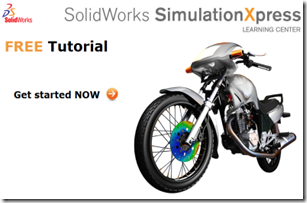
I got an email from solidworks about a free Solidworks Simulation Express free tutorial.
Right now I don’t have much time. So if anyone interested click on the picture and enjoy the free tutorial.
Friday, May 01, 2009
Matlab to start yourself to programming!!
Matlab , excel , solidworks and to some extent fortran were the
legacies of mine in NAL!
legacies of mine in NAL!
These were the skills that I honed and graduated in during my days in
NAL! For many catia, nastran, ansys, solidworks etc. are the skills
that they develop during training. For me solidworks and matlab were
the once that I was first exposed to for the first time in my life.
Matlab is facinating ! If you need
visualization and quick calculations then matlab is second to none!!
Apart from the quick and rapid calculations, the ability to plot
results quick and in so many different and elegant way was thdbreason
I was attracted to it.
As I have already mentioned in this blog, it's a must tool to learn
for avionics stream. For the rest of the other folks, I will recommend
matlab to all those peole who want exposure to programming and don't
want to spend much time learning the language but want to get results
of there problems!
Matlab is fairly easy to learn and is powerful. It has priority to
results. It is programmable, it's flexible and above all it's fun to
play around with!
For all these reasons and if you want to get your hands dirty with
learning a programming language then I will strongly recommend matlab!!
Thursday, June 19, 2008
Some useful jobs links for aesi aerospace graduates
 While i was working in NAL as project training engineer, i saw that there were these five tools that most of the trainee were really working on.
Hypermesh,catia, solidworks,labview and nastran! So i guess most of the folks that are in NAL or other institutions, they might be searching jobs in this skills. So here i have mashed up some links that will make finding aerospace related jobs with these specific skill set. Click on the links given below to check the jobs available in indian aerospace industry for your skill which might be hypermesh,catia, solidworks,labview and nastran.
These links will also be useful for other other aeronautical engineer, new aesi graduates searching for aerospace jobs or aesi non-graduates as they can see what the indian aerospace firms are looking for. And they can prepare themselves with this requirements in mind.
Jobs in hypermesh and aerospace
Jobs in catia aerospace
jobs in solidworks aerospace
jobs in labview and aerospace
jobs in nastran and aerospace
Jobs in HCL can be found here.
Please keep in mind this is an experimental links, so sometimes they might not fetch the required jobs, please let me know in comments so i can fix them. thanks and happy job hunting!!!
You might also check the resume writing, cover letter section of this blog for more job search tips.
Monday, May 05, 2008
Catia video tutorials on web
Best way to learn catia or solidworks or any other design tool is to see someone do it and if you don not have the luxury of having someone around, then the web should be your answer.
From simple to complex, from modeling parts to detailing you can learn many of this in the video tutorials that i have listed below. Do check them out. More will come as an when i get time.
CATIA tutorials in YOUTUBE
Video Tutorials of CATIA in google video
Related links for CATIA
What is NASTRAN?
Solidworks CAD video tutorials
Catia vs Solidworks
EDST launches catiaa and enovia training center
Where can i learn NASTRAN and CATIA
Tuesday, March 30, 2010
One powerful Lesson from learning solidworks for learning your fav CAE tool
Learning any CAE software like catia, UG, hypermesh, solidworks, ansys
etc is lot like learning a foreign language. The more you practice it
in real-life situations, the better you become at it.
etc is lot like learning a foreign language. The more you practice it
in real-life situations, the better you become at it.
So what are you doing about it?
What is your strategy of learning your favourite cae program?
I will illustrate mine. In NAL I became fasinated with solidworks. It
was the primary cad tool in my lab and glancing at the cad operators
from my desk, I was always drawn to the fasinating tool.
So first thing I did was I asked for a demo from the cad folks and
asked them to point me to the tutorials. Once I had a look at those
tutorials and I began practising them. I began to venture out.
In my quest to learn the software, this tutorials were roads and
tracks laid down for me. As long I travelled on them I was doing good
and feeling confident but I was not confident to take a new design. So
along the way I began deviating from my path, I began exploring the
sideways. I delayed replaying the tutorials and began making household
utentils. Cups, plates stoves, replaced the bar coils and nuts and
bolts of the tutorials.
To cut the story short, my decision to do real life articles and stuff
enabled me to learn the software much more quickly.
So the whole point of this post is this. Don't be just a fan of the
tutorials. Walk on them, they are generally the best source of
learning but don't always keep to the roads and venture out to the
side walks and explore.
Keep aside the tutorials and try things from your world. Create cad
model of your study table, analyze the load of your bike etc.
Its truly like learning a new language, unless you practise it out
with the world, you won't be learning it enough!!
Wednesday, June 23, 2010
ANSYS celebrating 40 years..

I have talked about ANSYS in this blog a number of times. Its in fact my first analysis software. I use it time to time in my work.
Its celebrating 40 years!!
Read the timeline of and the anniversary video here
Be sure to read
Tuesday, July 15, 2008
What's common in 2008 Beijing Olympics Stadium and aerospace?

Have a look at this picture. This is the picture of olympic statium that is built in beijing for the olympic 2008. What's common in 2008 Beijing Olympics Stadium and aerospace?
Isn't it majestic.But hey what is it doing here in the blog for aerospace professionals of aesi?
We, as aerospace professional you know that Boeing , airbus and all aircrafts are being made and crafted by the help of CATIA. So is this stadium. Yes the 2008 Beijing Olympics Stadium was developed using CATIA advanced 3D model-based design-to-manufacture solutions.
Great na!! have you created something great like this in CATIA. Show us.
Also look at this video of the stadium
Related links you might like
What is catia?
Catia Video tutorials
Solidworks CAD video tutorials
Catia vs Solidworks
EDST launches catiaa and enovia training center
Where can i learn NASTRAN and CATIA
What is NASTRAN?
Subscribe to:
Posts (Atom)